 Cell Text Selection
In AG Grid Community, you can enable regular text selection as if the grid were a regular table. Add the following
to dashGridOptions:
dashGridOptions = {"enableCellTextSelection": True, "ensureDomOrder": True}
With enableCellTextSelection set to True, you can now select text in the grid:
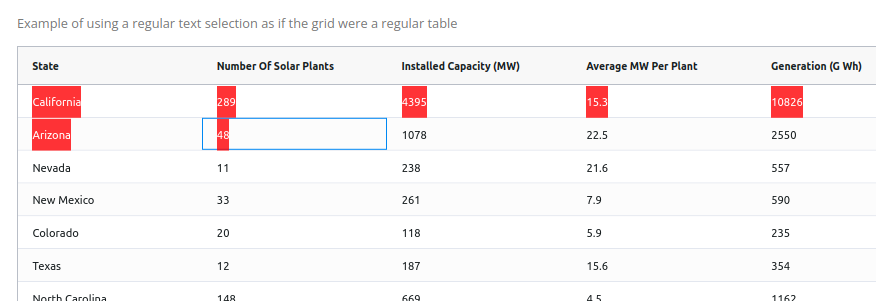
You can use this feature to select text and copy it to the browser’s clipboard. To see more on copying rows to the
clipboard using the dcc.Clipboard component,
see
```python
import dash_ag_grid as dag
from dash import Dash, html, dcc
import pandas as pd

df = pd.read_csv("https://raw.githubusercontent.com/plotly/datasets/master/solar.csv")

app = Dash()

app.layout = html.Div(
    [
        dag.AgGrid(
            id="text-selection-example",
            rowData=df.to_dict("records"),
            columnDefs=[{"field": i} for i in df.columns],
            columnSize="sizeToFit",
            dashGridOptions={"enableCellTextSelection": True, "ensureDomOrder": True},
        ),
        dcc.Textarea(
            placeholder="paste area",
            style={"width": "100%", "height": 200},
        )
    ],
)

if __name__ == "__main__":
    app.run(debug=True)
```